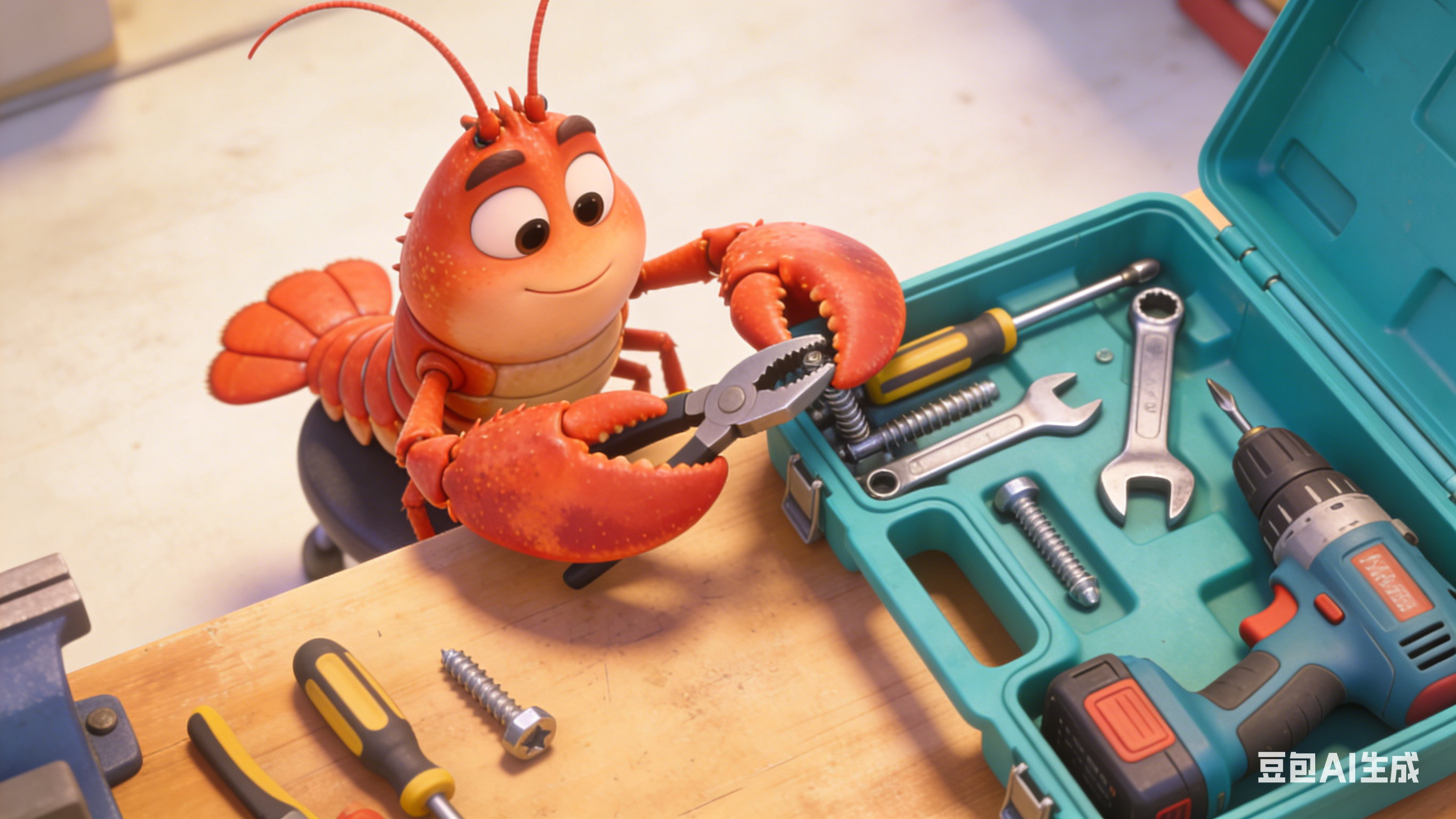
"If the last lesson was giving the assistant hands, today is giving it a whole toolbox. Screwdrivers, wrenches, drills... pick what you need, put it back when done. That's the Skills system."
📖 Chapter Overview
In this chapter, you will fully master the use of OpenClaw's skills:
- Understand the core working principle of the Skills system
- Familiarize yourself with the usage of ClawdHub official skill marketplace
- Install and get started with high-practicality skill packs (Weather, GitHub, Social Media Automation, SEO Analysis, etc.)
- Learn to use multiple skills in combination to complete complex automated tasks
- Understand the basic development logic of custom skills
I. What are Skills?
What is the app store on your phone? It's a collection of various apps — install Uber Eats for food delivery, Uber for rides, Netflix for videos.
OpenClaw's Skills system is the exclusive app store for your AI assistant.
Each Skill is an independent file package. Skills adapted to the latest architecture usually include four core parts:
- SKILL.md — Skill specification document, clearly defining the skill's functions, usage scenarios and calling methods for the AI
- manifest.json — Skill metadata, marking version, compatibility range, dependencies and permission requirements
- Configuration files — Storing authorization configuration information such as API Keys and connection parameters
- Script files — Specific execution logic of the skill (can be omitted for simple skills)
Installing a Skill essentially means placing this set of files into the ~/clawd/skills/ directory. The assistant automatically scans and loads all installed skills when starting up. The newly added lazy loading mechanism only wakes up the corresponding skill during conversations, greatly reducing resource usage — just like a phone preloading commonly used apps after startup and waking up less frequently used ones on demand.
💡 Core Logic: AI's language understanding and logical capabilities are already mature enough. What it really lacks is the "tools" to connect to the external world, and the Skills system is the core channel to supplement these tools for it.
II. ClawdHub Skill Marketplace
The global OpenClaw community maintains a constantly updated official skill repository, namely clawdhub.com, where you can find over 1700 community-contributed skills covering adaptation needs for almost all mainstream scenarios.
Quick Overview of Skill Categories
| Skill Category | Typical Skill Examples | Core Problems Solved |
|---|---|---|
| 📧 Communication | Gmail, Outlook, Slack, WhatsApp | Email management, cross-platform message notification and reply |
| 📅 Productivity | Google Calendar, Todoist, Notion | Schedule management, task tracking and to-do reminders |
| 🔍 Search | Brave Search, Tavily, SerpAPI | Online information retrieval, real-time data acquisition |
| 💻 Development | GitHub, VS Code, Docker, GitLab | Code management, development process assistance, container operations |
| 📊 Data Analysis | GA4, GSC, Ahrefs, Shopify Analytics | Website traffic analysis, SEO optimization, business data insights |
| 📝 Content Processing | Markdown, PDF Parser, OCR Pro | Document parsing, format conversion, content summarization, image text extraction |
| 🌐 Browser | Playwright, Puppeteer, Browser Relay | Web browsing, data scraping, page interaction |
| 📱 Social Media | TikTok, X, Instagram, YouTube | Content publishing, data monitoring, comment management |
| 🏠 Smart Home | HomeAssistant, Apple HomeKit | Smart device control, home scene automation |
III. Install Your First Skill
We take the remind-me (Timed Reminder) skill as an example — it is the most beginner-friendly introductory skill. After installation, you can start using it immediately without complex configuration, and it also supports advanced features such as multi-device synchronous reminders, repeat cycle settings, and template customization.
Method 1: One-click Installation from ClawHub (Recommended for Beginners)
clawdhub install remind-me
After executing the command, the system will automatically download the skill package from ClawHub, complete version compatibility verification, dependency installation, and configure it to the default skill directory:
- Default workspace directory:
<workspace>/skills/(usually the./skillsfolder in the current directory) - Global shared directory:
~/.openclaw/skills(multiple assistants/workspaces on the same device can reuse this skill; add the--globalparameter to install here)
Method 2: Manual Installation
# Enter the global skill directory
cd ~/.openclaw/skills
# Clone the skill repository to local
git clone https://github.com/openclaw/skill-remind-me remind-me
Manual installation is suitable for scenarios where you need to customize and modify the skill source code or install offline; if you just want to get started quickly, prioritize the ClawHub one-click installation method.
Method 3: Select and Install from GitHub List (Alternative to ClawHub)
If accessing the ClawHub website is inconvenient, it is recommended to directly select from the official skill list maintained by the GitHub community: https://github.com/VoltAgent/awesome-openclaw-skills
Usage:
- Find the skill you need by category in the repository
- Send the skill name or repository link to the AI assistant and let it help you complete the installation and permission verification
- After installation, ask the AI assistant to provide 3 directly copyable command examples, and you just need to send them as they are to get started
Important Note: Most skills take effect automatically in your next conversation without restarting the service thanks to the hot loading mechanism.
IV. 10 High-Value Skills Every Beginner Must Install
The following skill list is sorted by "priority of benefit for beginners to get started". First install 3 core essential skills, then add more according to your usage scenarios (development/website building/operation/content creation/cross-border business) as needed.
🥇 Core Essential Level
1. remind-me — Timed Reminder It has an extremely high daily usage frequency and is irreplaceable once used. It can directly convert matters mentioned in conversations into on-time reminders, covering all scenarios such as meetings, bill payments, work reviews, drinking water breaks, and schedule management. It supports multi-device push, repeat cycle settings, and reminder template customization.
2. todo-tracker — To-Do List Management Automatically collect to-do items you casually mention into a list, supporting real-time viewing, marking completion, priority sorting, and label classification. It is especially suitable for scenarios with multiple parallel tasks that require systematic management of matters, and can seamlessly link with calendar and reminder skills.
3. Email Kit — All-in-One Email Intelligent Management Replacing the single Gmail skill, it is compatible with all email services supporting IMAP/SMTP protocols such as Gmail, Outlook, and corporate email. It enables the assistant to monitor important emails in real time, extract core points, draft reply content, and automatically archive and classify emails, helping you accurately filter core information from a large number of emails.
4. Web Search — Online Search It is indispensable for any scenario requiring real-time information. An AI assistant without search capabilities is like a phone without internet, only able to use offline data and unable to obtain the latest industry trends, real-time news, technical updates, etc. It supports switching between multiple search engines, precise filtering of results, and labeling of source credibility.
🥈 Highly Recommended Level
5. Browser — Web Page Operation and Information Extraction Let the assistant open specified web pages, capture core data, compare competitor information, verify website availability (more powerful functions can be achieved with Browser Relay, attention to network security configuration), supporting dynamic page parsing, batch content capture, page screenshots and usability testing.
6. weather-pro — Weather and Travel Reminder Inquire about real-time weather, future forecasts, and extreme weather warnings with one sentence, automatically remind to take an umbrella or add/remove clothes, adapted to mainstream global meteorological data sources, and very suitable for inclusion in the automated process of the "daily morning briefing".
7. content-digest — Intelligent Information Digestion Replacing single newsletter/youtube skills, it automatically converts long articles, podcasts, long YouTube videos, and podcast audios into core points and actionable action lists. It perfectly solves the "information overload" problem that beginners are prone to encounter, and greatly improves the efficiency of information acquisition.
🥉 Scenario-Adapted Level
8. GitHub — Development Assistance (For Developers) Query repository Issues, review PRs, interpret code, follow up CI processes, and receive version update reminders. If you are engaged in code development or use open-source tools, it is worth installing.
9. GSC / GA4 — Website Growth Analysis (Install Only if You Have a Personal/Business Website) Essential skills for website operators, which can query keyword rankings, page indexing status, traffic sources and user behavior data, and automatically generate weekly/monthly analysis reports. Users without a website can skip directly.
10. PDF Parser (markitdown) — Intelligent Document Parsing Convert files in formats such as PDF, Word, PPT, and images into editable text, allowing the AI assistant to read and summarize core content in seconds. When receiving dozens of pages of project materials, industry reports, or contracts, it can save you a lot of time and energy.
V. Skill Combinations: Achieve 1+1 > 2 Automation Effect
A single skill can solve specific problems, and the combined use of multiple skills is the core advantage that makes AI assistants far superior to traditional tools — it can connect data from different tools to complete end-to-end automated processes and comprehensive analysis.
Combination 1: Email + Calendar + To-Do
Command Example: Help me check all meetings tomorrow, then search my email for relevant correspondence, compile a pre-meeting background brief, generate high-priority to-dos for the items I need to prepare in advance, and set a reminder 1 hour before the meeting.
The assistant will first query the calendar to identify the "business negotiation with partners" meeting tomorrow, then automatically search the email for historical email correspondence with the partner, extract core communication nodes, pending confirmation items and key background information, finally compile a complete pre-meeting brief, and generate a to-do list with bound reminders at the same time.
Traditional operations require you to: open the calendar → view meeting information → open the email → search for keywords → manually organize information → create to-dos → set reminders. Now, it can be completed with just one sentence.
Combination 2: Search + Browser + Content Summary
Command Example: Help me search for "the best headless CMS solutions right now", find the top three industry analysis articles, organize the mainstream solutions recommended in the articles into a comparison table, marking the core advantages, applicable scenarios and pricing models of each solution.
The assistant will first perform a full-network search to find links to authoritative articles with high relevance, then open each article through the browser skill, extract key information such as core parameters, advantages and disadvantages, and applicable scenarios, and finally organize them into a structured comparison table, and even give targeted selection suggestions.
Combination 3: GSC + GA4 + Browser + SEO Analysis
Command Example: Analyze the /generator page of the kirkify.net website, tell me its search performance, user behavior data, as well as the current content status and loading performance of the page, and finally give a complete optimization suggestion sorted by priority.
The assistant will call three skills respectively to complete the full-process analysis:
- Query the page's search performance (keyword ranking, click volume, click-through rate CTR) through the GSC skill
- Analyze user behavior data (page dwell time, bounce rate, conversion path) through the GA4 skill
- Open the page through the browser skill to check the current content status, loading speed, and mobile adaptation
Finally, it will output a complete page analysis report for you, accompanied by optimization suggestions sorted by priority.
Combination 4: Social Media + Search + Content Creation
Command Example: Help me search for the current popular trends of AI meme content on TikTok, extract 3 high-traffic topics, then combine the product functions of kirkify.net to write 3 short video copy suitable for TikTok, and set a release reminder for 3 PM tomorrow.
The assistant will first capture platform hot trends through the search skill, then extract core product selling points through the browser skill, complete copywriting creation, and set a release plan through the to-do + reminder skill — no need for you to manually switch between multiple platforms and organize scattered information throughout the process.
📌 Best Practice Tip The core value of skill combinations is to condense repetitive, mechanical multi-step operations in your daily work into a single command. You can start with your daily high-frequency work processes, disassemble the tools needed, and then achieve automation through skill combinations — this is the most direct way to improve efficiency.
VI. Daily Management of Skills
Core Management Commands
# View all installed skills (including version, status, usage frequency)
openclaw skills list --detail

# Install/update skills from ClawdHub
clawdhub install <skill-name>    # Install specified skill
clawdhub install <skill-name> --global # Install globally
clawdhub update <skill-name>     # Update a single skill
clawdhub update --all            # Batch update all installed skills

# Search for skills in the skill marketplace (support filtering by category, rating)
clawdhub search <keyword>

# Skill health verification and status management
openclaw skills validate <skill-name> # Verify the configuration integrity of a single skill
openclaw skills validate --all # Full verification of all installed skills
openclaw skills disable <skill-name> # Temporarily disable a skill (no need to uninstall)
openclaw skills enable <skill-name> # Enable a disabled skill
Configuration Management Description
The core configuration of each skill is usually written in the SKILL.md file under the skill directory (it can also be overridden through the skills.entries.* configuration item in the openclaw.json file).
The default skill directory path is: <workspace>/skills/<skill-name>/ or ~/.openclaw/skills/<skill-name>/.
⚠️ Important Reminder
Finally, it is essential to remind you of a core principle: more skills are not necessarily better.
Even though the latest architecture has optimized the lazy loading mechanism, each skill still increases the assistant's "cognitive load" — during each conversation, it needs to match the applicable scenarios of all skills to determine which skill to call to solve your problem. Installing too many skills may instead lead to three problems:
- Slower response speed: significantly increased logic for handling scenario matching
- Higher Token consumption: carrying more skill description information in complex scenarios increases usage costs
- Skill calling errors: when there are too many skills, there may be cases of selecting the wrong skill or failing to match the correct tool
Beginners' Suggestion: Start with 3-5 skills corresponding to your core needs, master them thoroughly, and then gradually add new skills according to new needs.
It's like installing apps on a phone — someone who installs 200 apps but only uses 20 daily will definitely have a slower phone than someone who only installs 20 high-frequency apps.
🔑 Key Takeaways of This Chapter
- Skills system = AI assistant's app store: Each skill is an independent function package, and corresponding capabilities can be unlocked after installation
- ClawdHub Skill Marketplace: An official repository maintained by the global community with over 1700 mature skills, most of which support one-click installation with a single command
- Core value skills: Timed reminders, to-do management, email processing, online search, web page operation, document parsing, etc.
- Skill combination is the core advantage: The coordinated use of multiple skills can achieve end-to-end automated workflows and greatly improve efficiency
- Custom development is supported: Only one SKILL.md description file + execution script is needed to develop your own exclusive skills
✅ Practical Tasks for This Chapter
- Complete the installation and configuration of the remind-me timed reminder skill, and test the basic reminder function
- According to your own usage scenarios, install 2-3 core adaptive skills, and complete configuration verification and function testing
- Design 1 automated command combining multiple skills, and test the end-to-end execution effect
- Execute
openclaw skills validate --allto complete the health verification of installed skills
🎯 Next Chapter Preview
A true personal assistant should not always wait for your commands. It should take the initiative to check emails, follow up on schedules, run data analysis, and notify you of important matters immediately when discovered. Tomorrow we will configure the heartbeat mechanism and scheduled tasks, upgrading the assistant from "passive response" to "active work" — this is also a key step for it to truly become an "exclusive assistant".
Next Chapter 👉 Hour 5: Make the Assistant Work Proactively